 Richard's Blog
Ash for the desktop: an Omarchy theme set derived from Harbor
Why this post exists#
The Ash palette already runs this blog, the Trilium app and my Gitea instance (see Inside this blog). The one surface still missing was the desktop itself — I run Omarchy (Arch Linux + Hyprland), so the theme set now covers that too. This post documents the repo and the small wallpaper tool that comes with it.
Repo: zink/omarchy-ash-theme
The palette#
Ash is a warm-neutral palette: Gruvbox hues, cooled and desaturated toward a grey/ash look — bone text on soot panels, ember accents. The light variant is ink on ash-paper. Both variants exist as Omarchy themes.
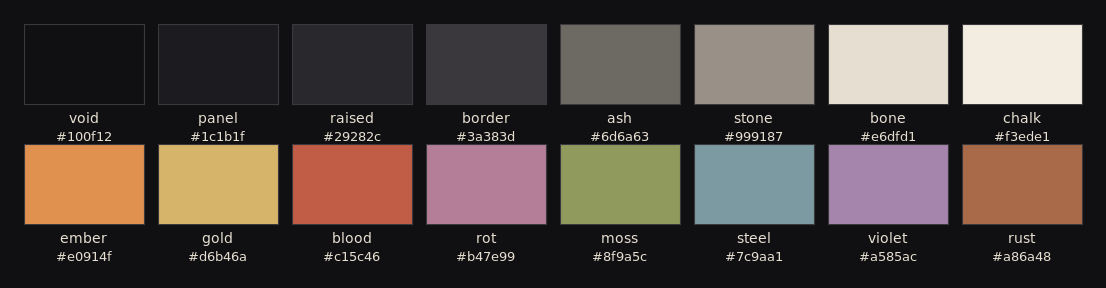
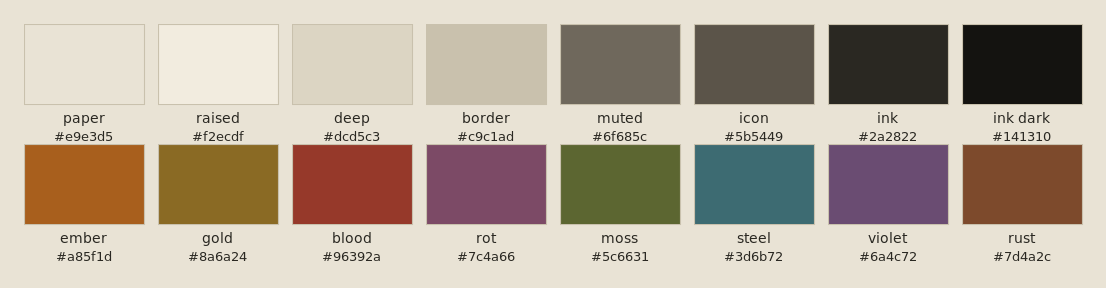
| Role | Ash Dark | Ash Light |
|---|---|---|
| Background | void #100f12, panel #1c1b1f, raised #29282c | paper #e9e3d5, raised #f2ecdf |
| Foreground | bone #e6dfd1, chalk #f3ede1 | ink #2a2822 |
| Muted / border | ash #6d6a63, border #3a383d | muted #6f685c, border #c9c1ad |
| Accents | ember #e0914f, gold #d6b46a, blood #c15c46, steel #7c9aa1, moss #8f9a5c, violet #a585ac | ember #a85f1d, gold #8a6a24, blood #96392a, steel #3d6b72, moss #5c6631, violet #6a4c72 |
Generating the theme set#
An Omarchy theme is a folder of per-app configs — waybar, hyprland, btop, terminals, editors and more, roughly 30 files per variant. Writing those twice by hand is not my idea of fun, so the set is derived from the excellent Harbor / Harbor Dark themes (MIT, © HANCORE) with a script:
tools/recolor.pyapplies an explicit Harbor→Ash color map for every named role, plus a nearest-color fallback for anything unmapped.- It handles all color notations the configs use:
#hex,#rrggbbaa,rgba(r, g, b, a)and Hyprland'srgb()/rgba()hex wrappers. - Branding is renamed throughout (
harbor*→ash*, including file names), and the light variant gets itslight.modemarker and Yaru icon-theme settings.
If the palette ever changes (it is maintained as CSS in zink/trilium-themes), one command regenerates the whole tree:
python3 tools/recolor.py .On the desktop#
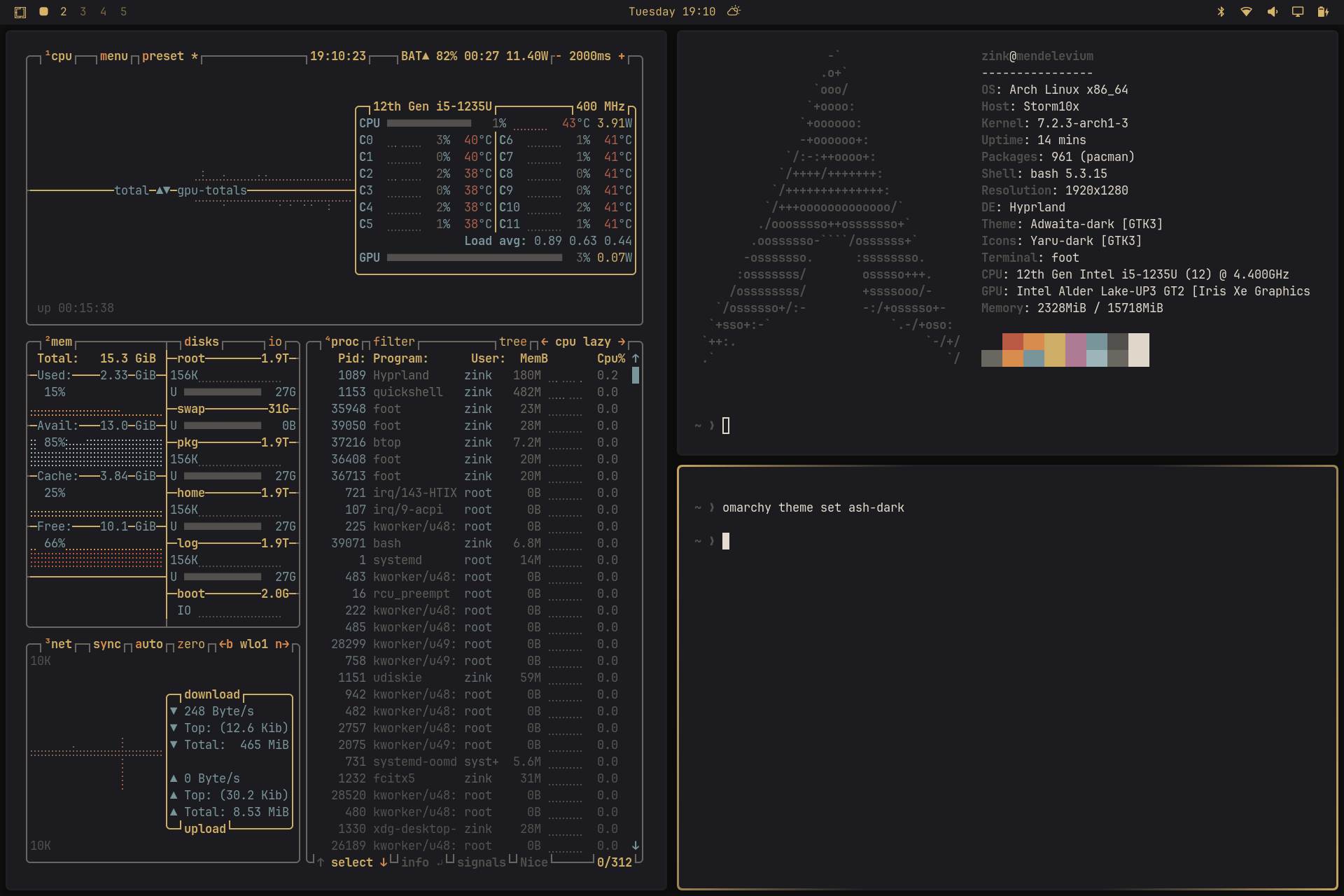
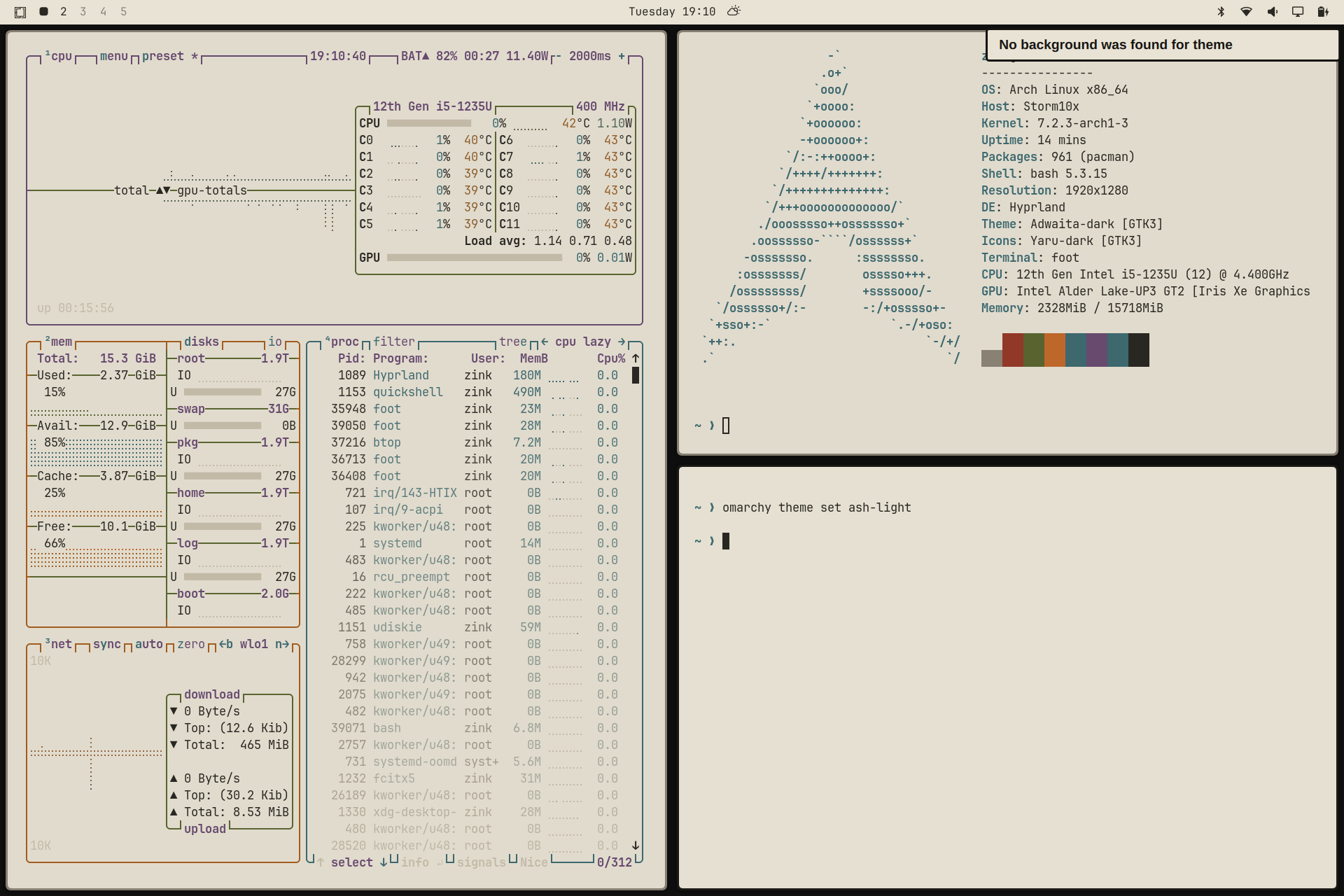
Both variants in action — dark first, then light:
Wallpapers from your own photos#
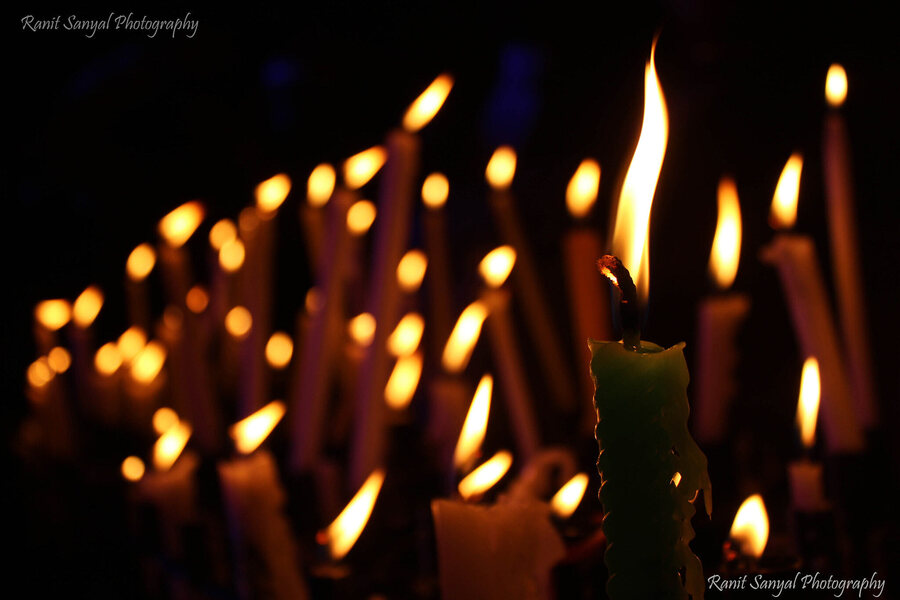
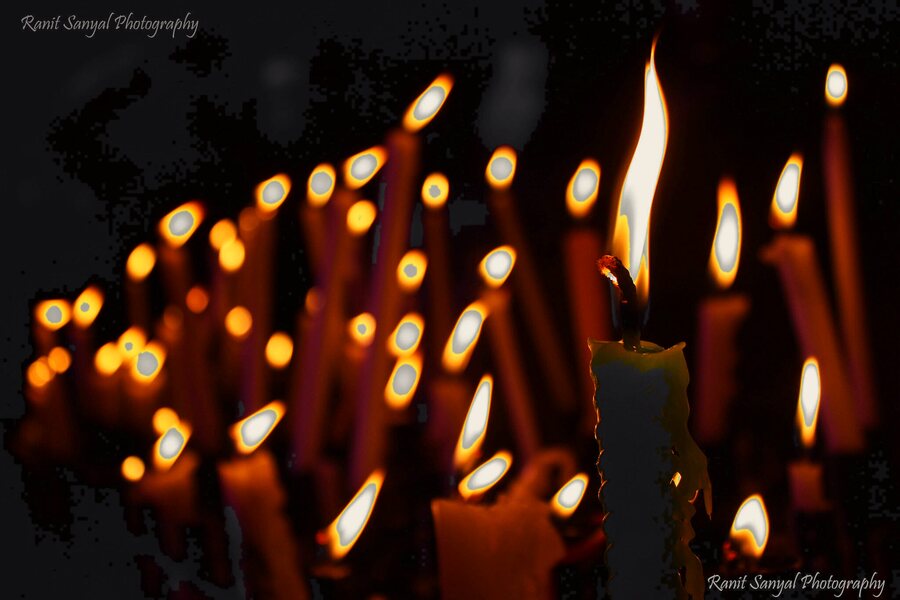
Photos rarely match a theme palette by themselves, so the repo also contains tools/ash-wallpaper.sh: an ImageMagick script that reduces any photo to Ash-tinted greys and selectively keeps warm highlights (sunset, fire, lamps, skin tones) in the ember/gold range — a selective-color, "Pleasantville" effect that blends into the desktop's palette instead of fighting it.
Rough pipeline: desaturate → rebuild the grey ramp from the palette's darkest/lightest colors → compute a mask from a hue band plus a saturation gate → boost and colorize the masked parts → composite and posterize.
tools/ash-wallpaper.sh photo.jpg # -> photo-ash.pngBefore:
After:
The limits, honestly#
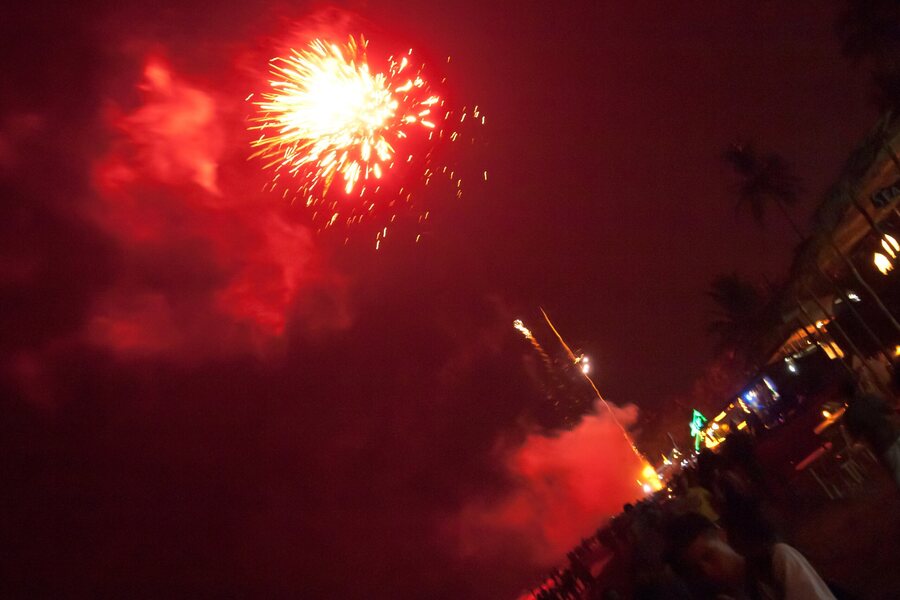
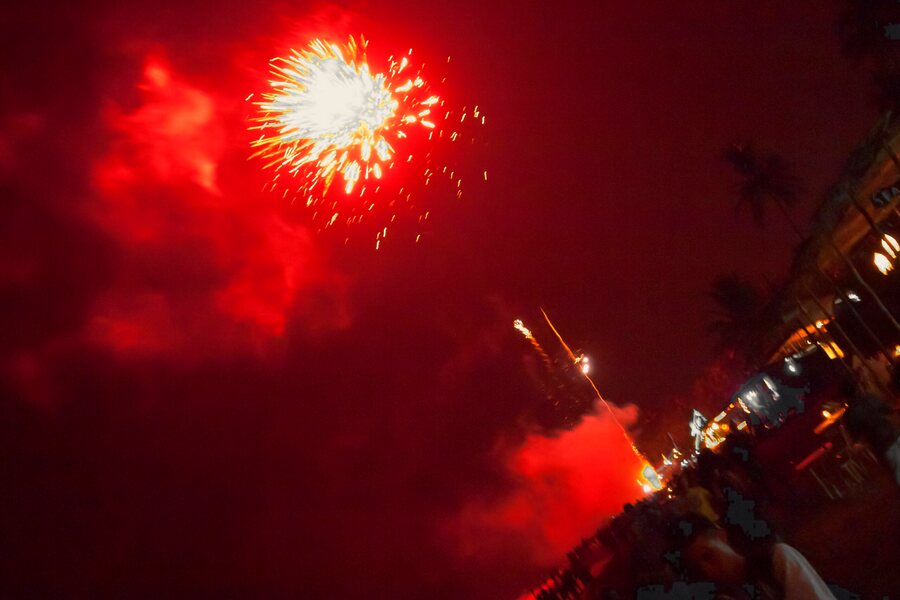
The mask is hue-based, not semantic — so it shines on neutral subjects with a small warm light source, and struggles on scenes dominated by warm colors. This fireworks shot keeps ~96 % of its pixels classified as "warm"; the result stays close to the original:
Before:
After:
Good results need some parameter tinkering (hue band, saturation gate, boost). The full guide — parameter reference, ready-made recipes and measured mask coverage for ten different test photos — lives in tools/ash-wallpaper.md in the repo.
Install#
mkdir -p ~/.config/omarchy/themes
cp -r ash-dark ash-light ~/.config/omarchy/themes/
omarchy-theme-set ash-dark
One caveat: omarchy-theme-install distinguishes installed themes by the presence of a .git folder and filters some files — on my machine that dropped the terminal configs, so I copy (or symlink) the folders directly.
Status#
The dark variant is in daily use; the light variant renders correctly and gets occasional test drives. Next up: a light-aware version of the wallpaper tool (the current one is dark-only — an early light variant looked inverted on photos and was dropped) and a few more palette-locked wallpaper recipes.
License#
MIT — the upstream Harbor license is retained in the repo.